The CBS News "watch experience" was a catch-all term used to describe the video/live features of its website and apps, which hosted a combination of live streams and video-on-demand clips. This case study covers a few projects I worked on, large and small, related to the CBS News watch experience in its iOS app. See also my contributions to the web and OTT watch experiences.
CBS News has a wide variety of FAST channels, and a longstanding wish of the product and editorial teams was a fully-featured EPG for web and apps, of the sort supplied by terrestrial cable TV set-top boxes. Earlier in my time at CBS News, I had worked a great deal on such a feature for its OTT apps, so when I was assigned to work on a related feature specifically for iOS, I was already aware of many of the pitfalls and complications.
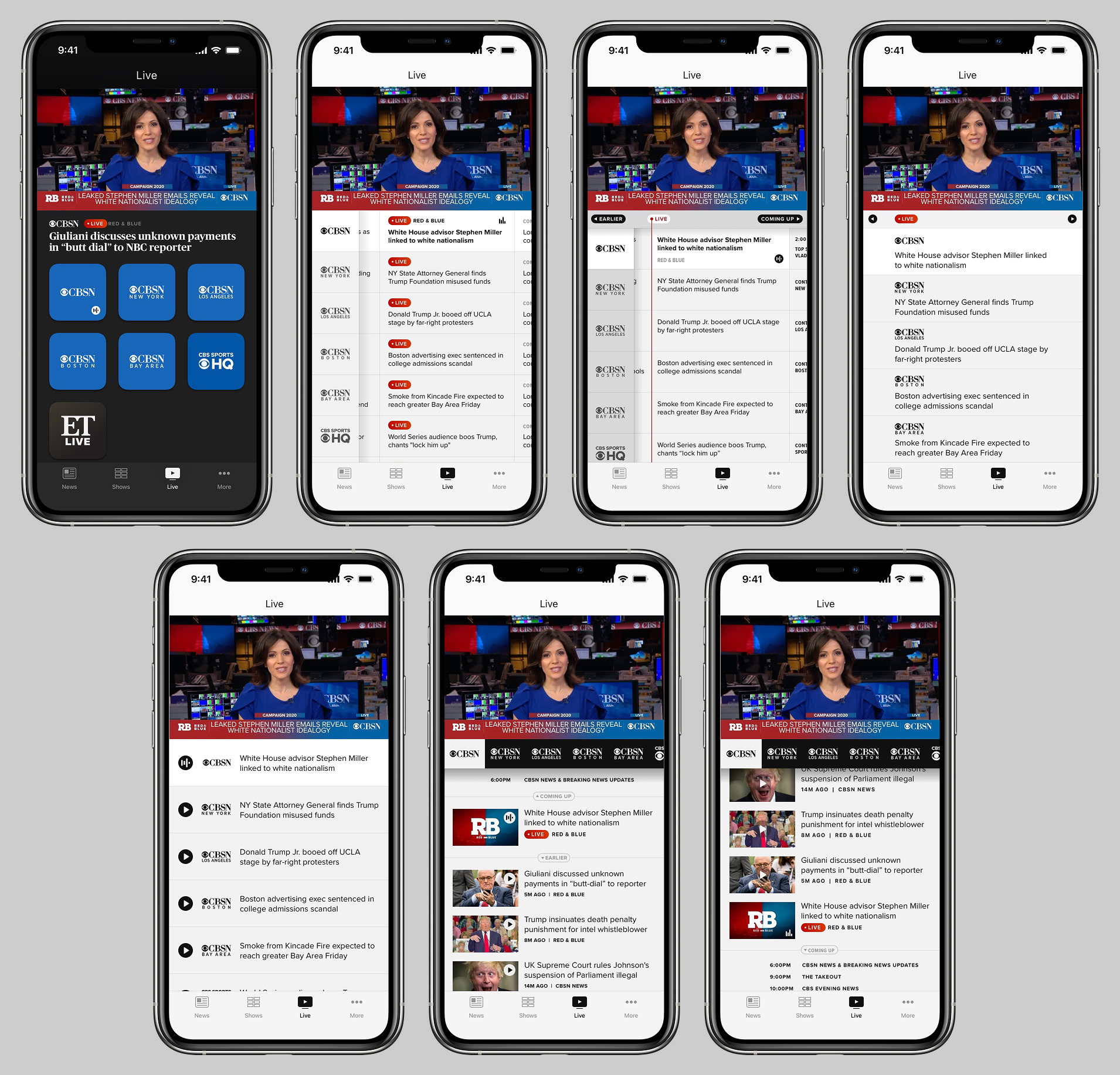
Below is a selection of some of my many exploratory designs. In the earliest versions, you may note that the livestreams were still branded as "CBSN", and that many are simple channel switchers that superficially resemble EPGs:
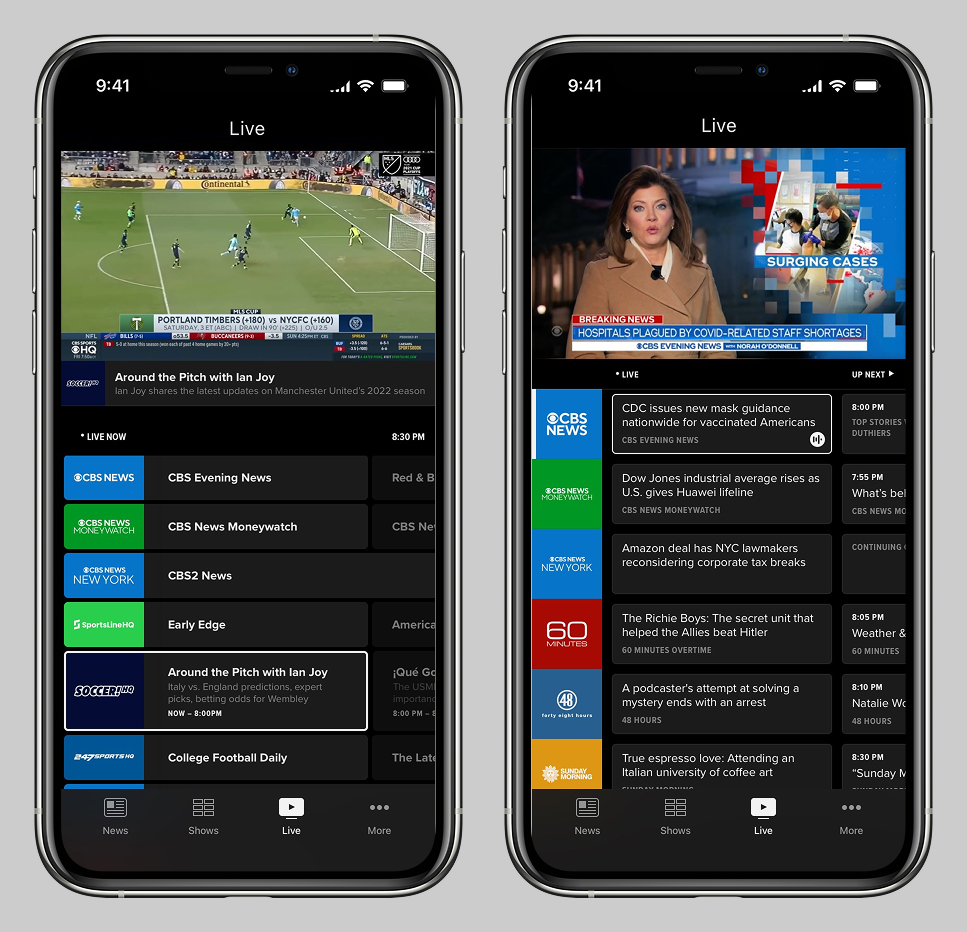
While this project was underway, the "CBSN" streaming products were rebranded as "CBS News". The product team wanted the iOS app EPG to look and work like parent company Paramount's successful product Pluto. The below mockups are my first two attempts to replicate Pluto's look and feel:
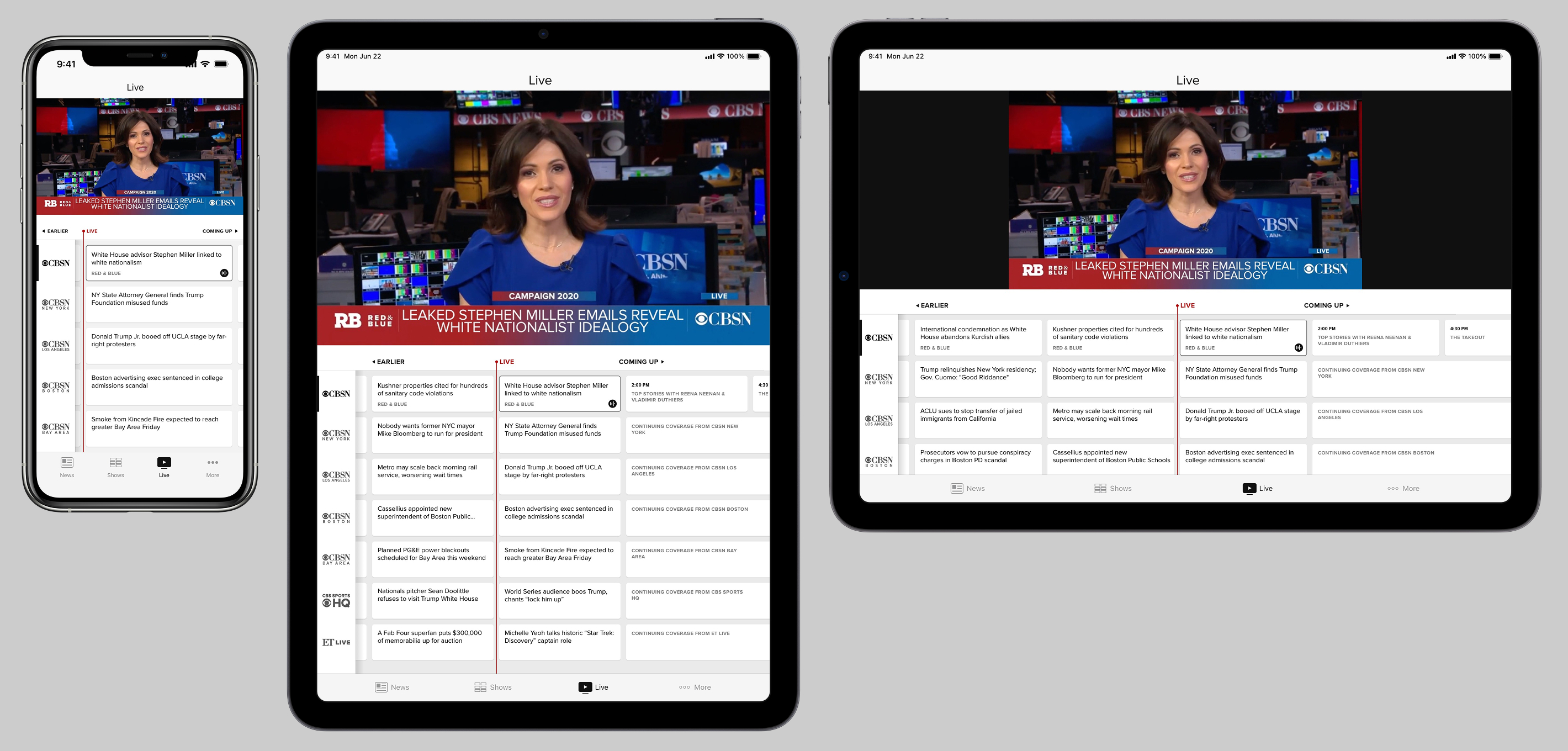
We struggled a great deal with the limitations of the data feed, which did not include "shows" as such. The below mocks are a single concept, shown in iOS compact and regular views (portrait and landscape). It displays all "shows" as equally-sized cells, because it did not seem to be possible to display them on an hourly timeline.
The red "live" playhead was not truly accurate, but was still a desired feature even if just for show. The middle content was all tappable, but everything in the past and future was informational only. To reiterate, technical restrictions kept steering us back towards a glorified channel switcher.
The next two sets of mocks below show the same concept, in its first-load state, and then horizontally scrolled into the future. This version reverts back to the Pluto-derived concept, where the "shows" are displayed on an hour-based grid, and the selected livestream is focused.
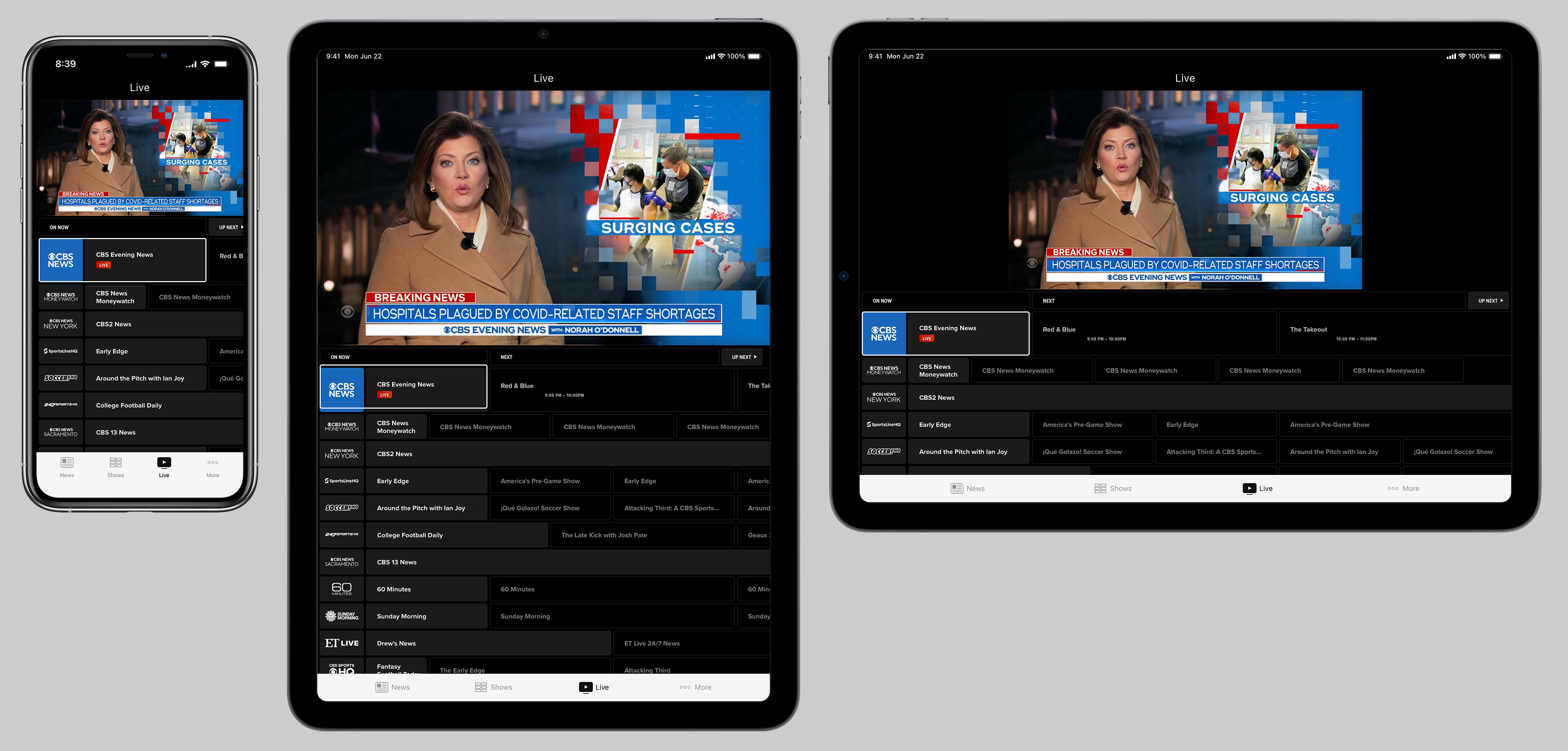
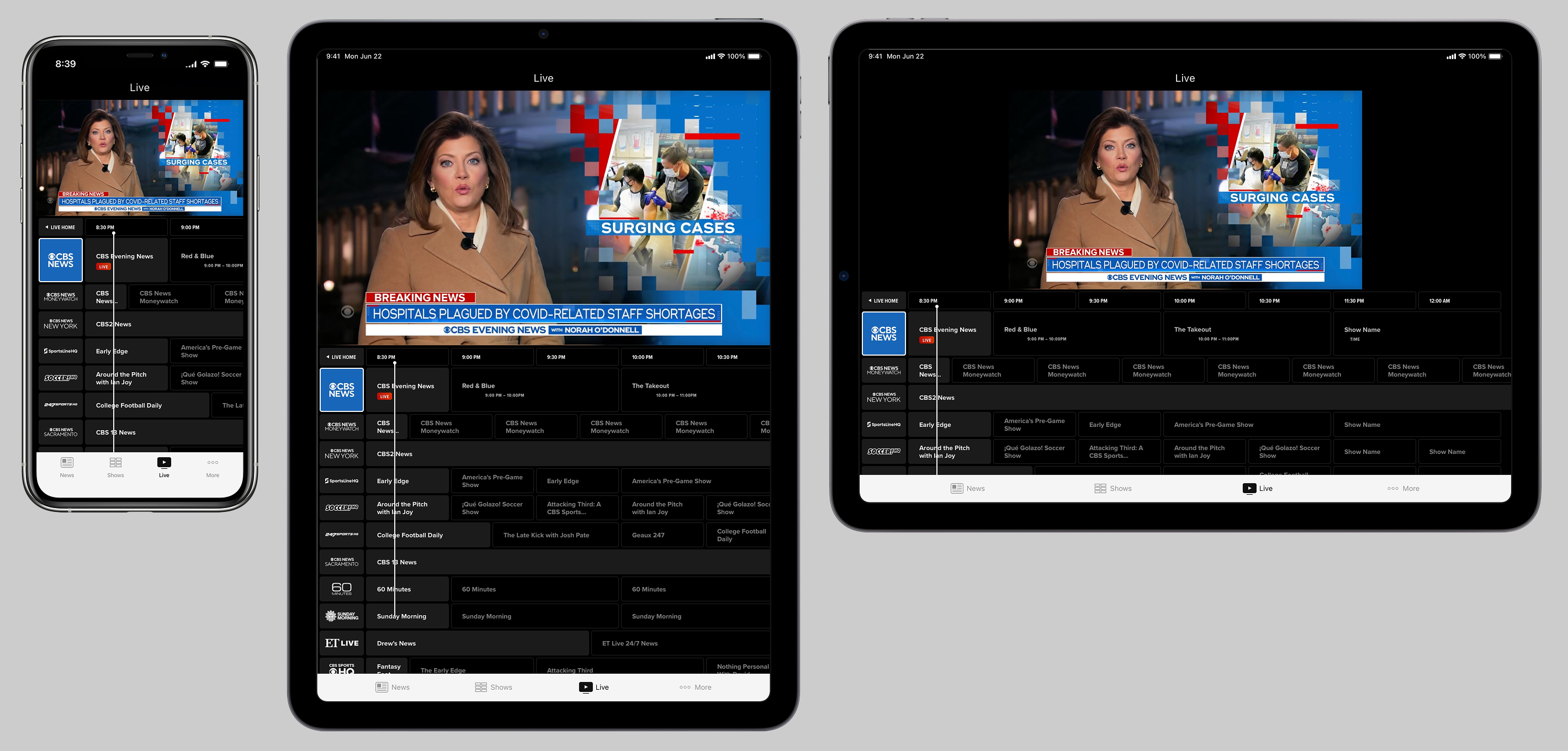
In development, it proved impossible to replicate the Pluto model of the channel logo having a focus state, while still being able to horizontally swipe through the timeline, so the below iteration illustrates that only individual cells could be focused.
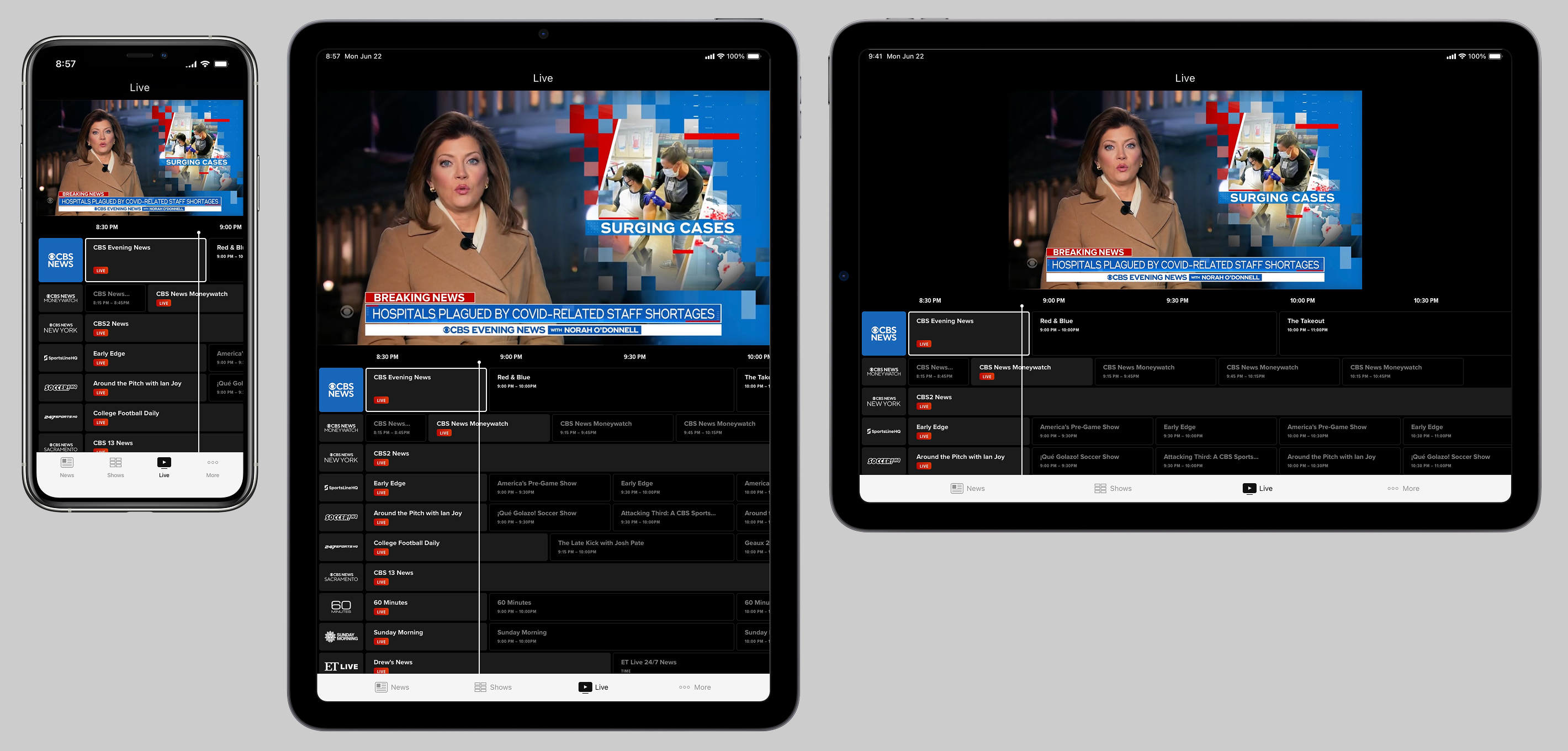
As was the case in all concepts, anything in the future or past was informational only. The result was a feature that superficially resembled an EPG, but the only real functionality was presenting the currently-playing "shows" across numerous livestreams, and an approximation of what would be coming up in the future, roughly at the time it might roll over. Adding features to tap on future cells and set alerts was discussed, but not pursued.
In case it's not clear from my tone, I did not personally believe in pursuing this feature, without a drastically more data-rich XML feed, and plans for support watching shows in the past, and setting reminders for shows in the future.
The feature has long since been removed from the app, so I can't confirm. Some years later, other stewards of the app replaced it with simple graphical buttons to launch each FAST channel. IMHO, this was the right call.