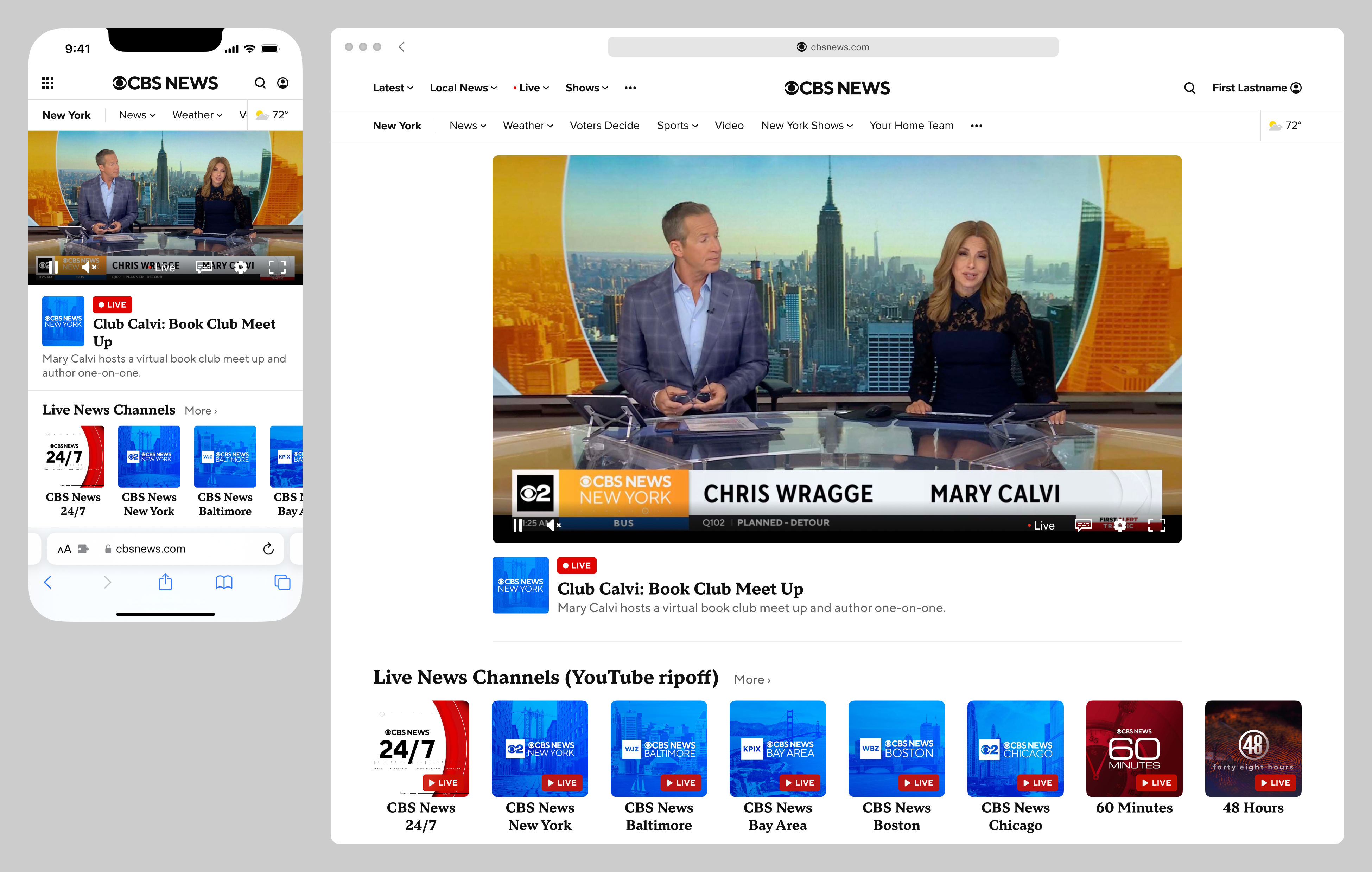
The CBS News "watch experience" was a catch-all term used to describe the video/live features of its website and apps, which hosted a combination of live streams and video-on-demand clips. This case study covers a few projects I worked on, large and small, related to the CBS News watch experience on web. See also my contributions to the iOS and OTT watch experiences.
In this case study:
Legacy Viewability Player
Circa 2017, the existing web watch experience included a floating video player that would appear when the primary player at the top of the page scrolled out of view. A major issue with this, aside from usability, was that it obscured several ad units on the page, which affected revenue.
I was tasked with designing a draggable version of the player. Below are static mocks of the viewability player at two representative breakpoints:
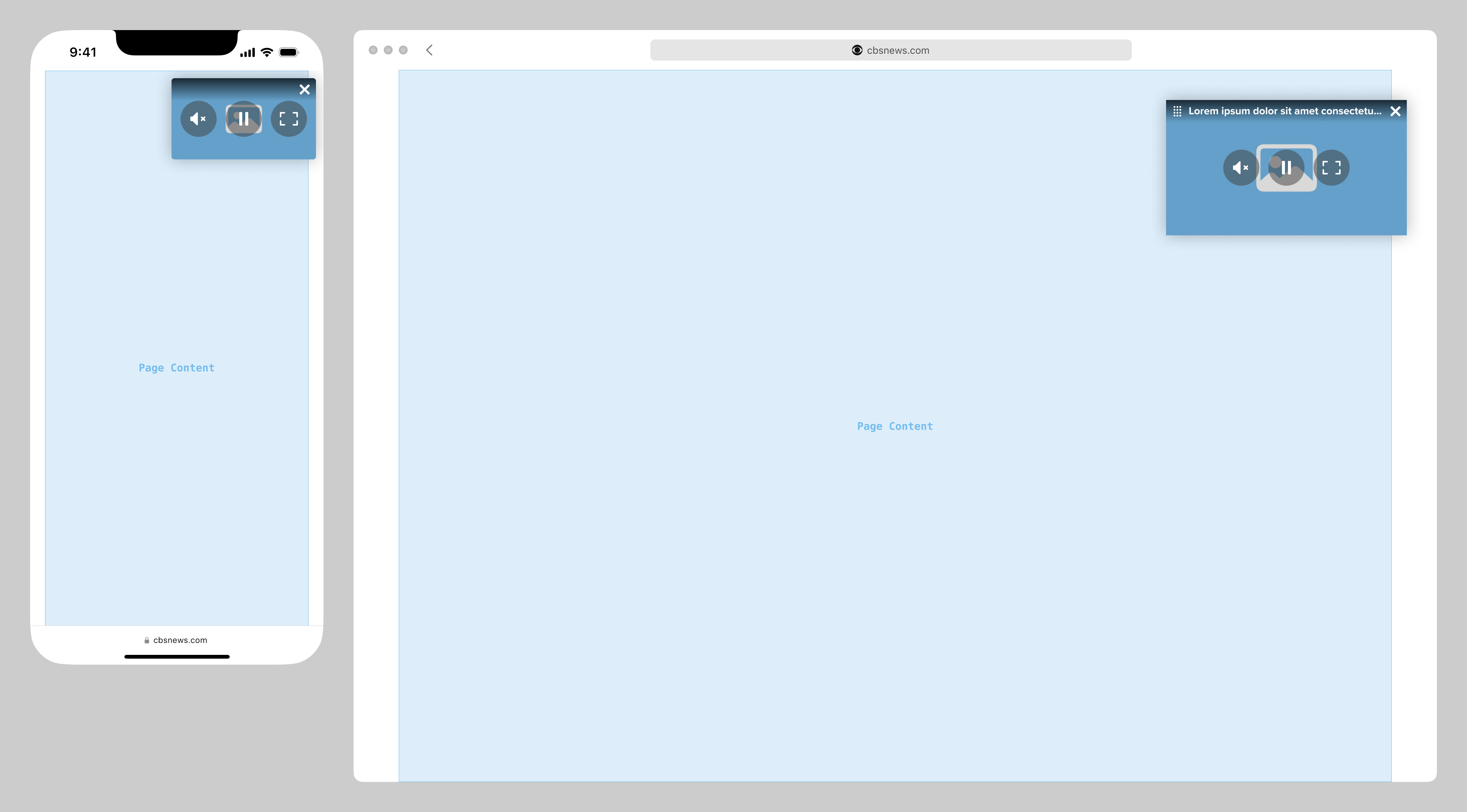
Below is a screen recording of a prototype I built to demonstrate the draggable player functionality and interaction, as well as a floating "watch live" button pinned to the bottom-right of the page.
This was no longer an issue for the video player introduced in the 2025 redesigned article and liveblog template, which never left the page, and did not obscure any content or ad units. This same player was slated to be incorporated into the homepage redesign.
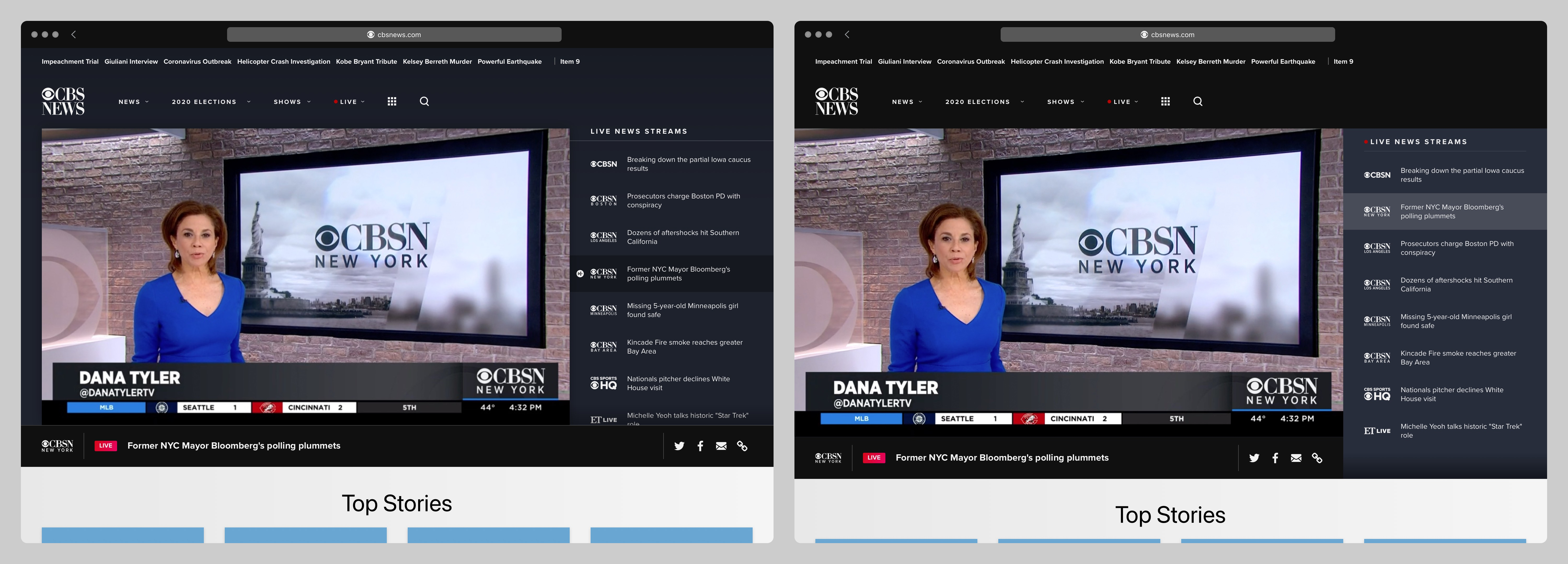
Legacy Live Channel Switcher Concepts
For the original version of the web watch experience, I was tasked with exploring concepts to add a channel switcher. Below are two mockups I found in my archives. This project never went further than this.
Redesign Concepts
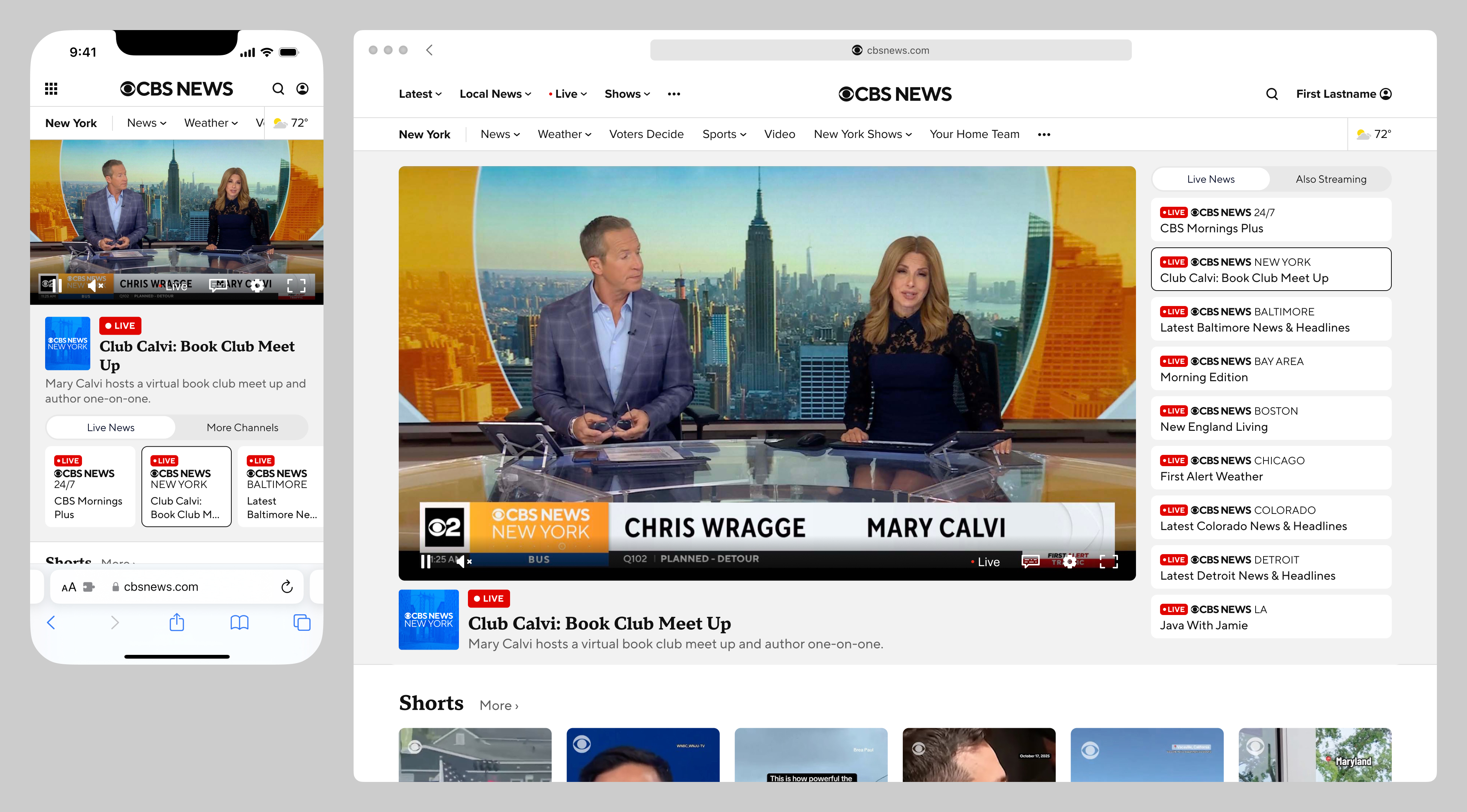
Alongside the 2025 homepage redesign, I created concepts for how the watch experience might look and function alongside it. Below are before-and-after mockups, with example VOD content (in this case, a full episode of 60 Minutes):
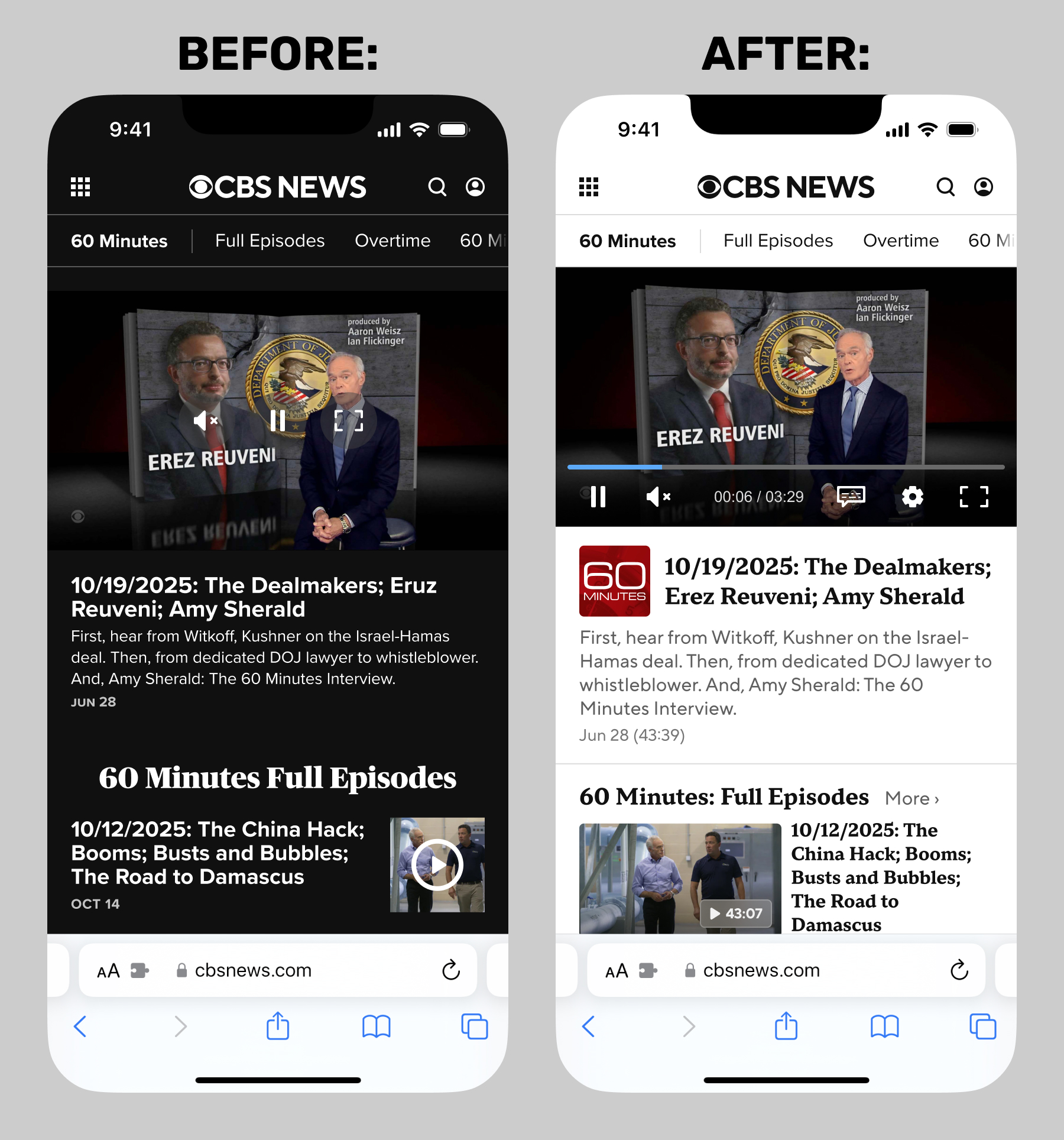
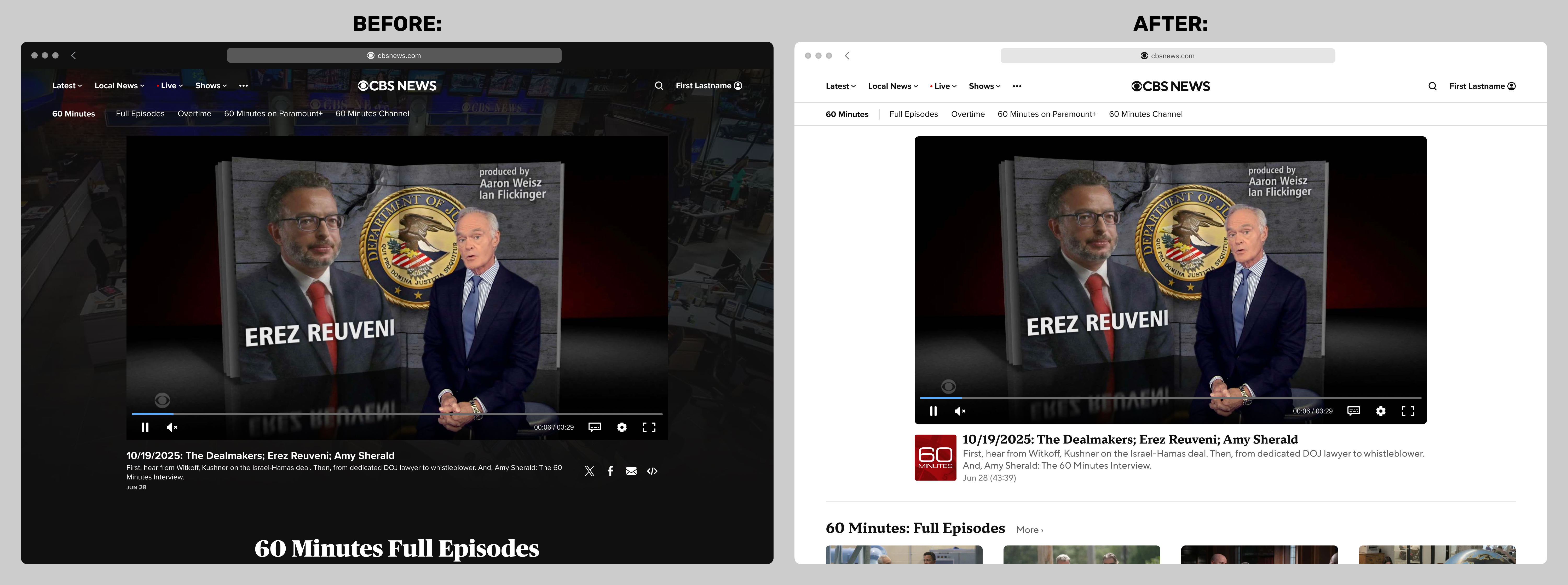
Below are two concepts for livestreams. A recurring issue at CBS News was the product and editorial need for an EPG (electronic program guide), of the type a user might expect in a terrestrial cable TV onscreen channel guide. The issue was that while CBS News had many FAST channels, the feed data was not particularly suitable for parsing a detailed timeline of upcoming content. Most local affiliate channels, for example, would have hours-long blocks of "shows" called something generic like "Live Breaking News and Weather".
The first example below includes a basic channel switcher, with branded 1:1 logo buttons. The second is closer to what we sometimes called a "faux-PG" (say it out loud), displaying a stack of what's currently playing in various channels. The content is aspirational; in reality, most of these "show titles" would not be useful information.